 ---
## Overview
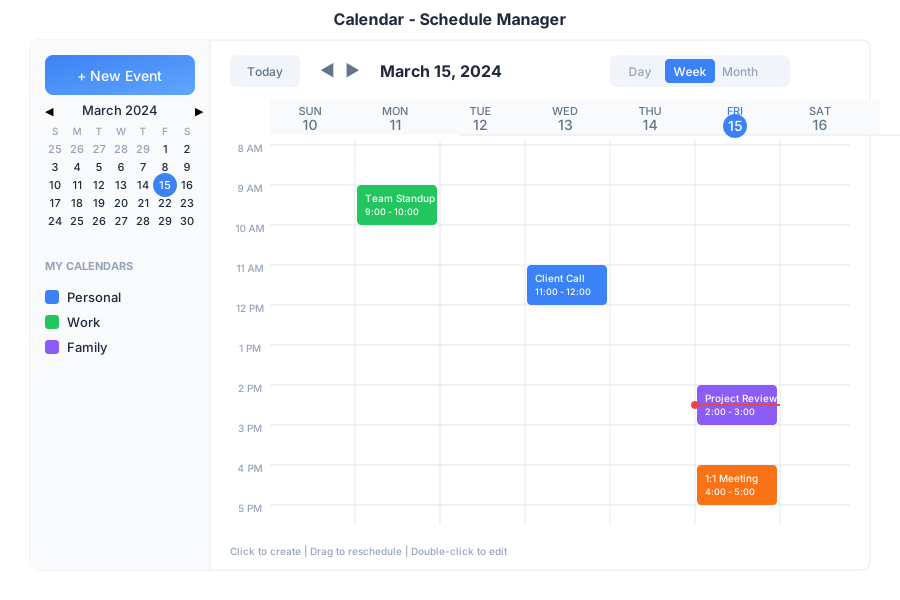
Calendar is your scheduling hub in General Bots Suite. Create events, manage appointments, schedule meetings, and let the AI help you find the perfect time. Calendar syncs with your other apps so you never miss an important date.
---
## Features
### Views
| View | Description |
|------|-------------|
| **Day** | Hourly breakdown of single day |
| **Week** | 7-day overview |
| **Month** | Full month grid |
| **Agenda** | List of upcoming events |
### Calendars
| Calendar | Icon | Use For |
|----------|------|---------|
| Personal | 🟢 | Private appointments |
| Work | 🔵 | Professional meetings |
| Team | 🟣 | Shared team events |
| Holidays | 🔴 | Public holidays |
### Event Types
| Type | Icon | Description |
|------|------|-------------|
| Meeting | 👥 | Group meetings |
| Call | 📞 | Phone/video calls |
| Reminder | 🔔 | Personal reminders |
| All-Day | 📅 | Full day events |
| Recurring | 🔄 | Repeating events |
---
## Keyboard Shortcuts
| Shortcut | Action |
|----------|--------|
| `C` | Create new event |
| `T` | Go to today |
| `D` | Day view |
| `W` | Week view |
| `M` | Month view |
| `←` / `→` | Previous / Next period |
| `Delete` | Delete selected event |
| `Enter` | Open event details |
---
## Scheduling via Chat
### Creating an Event
---
## Overview
Calendar is your scheduling hub in General Bots Suite. Create events, manage appointments, schedule meetings, and let the AI help you find the perfect time. Calendar syncs with your other apps so you never miss an important date.
---
## Features
### Views
| View | Description |
|------|-------------|
| **Day** | Hourly breakdown of single day |
| **Week** | 7-day overview |
| **Month** | Full month grid |
| **Agenda** | List of upcoming events |
### Calendars
| Calendar | Icon | Use For |
|----------|------|---------|
| Personal | 🟢 | Private appointments |
| Work | 🔵 | Professional meetings |
| Team | 🟣 | Shared team events |
| Holidays | 🔴 | Public holidays |
### Event Types
| Type | Icon | Description |
|------|------|-------------|
| Meeting | 👥 | Group meetings |
| Call | 📞 | Phone/video calls |
| Reminder | 🔔 | Personal reminders |
| All-Day | 📅 | Full day events |
| Recurring | 🔄 | Repeating events |
---
## Keyboard Shortcuts
| Shortcut | Action |
|----------|--------|
| `C` | Create new event |
| `T` | Go to today |
| `D` | Day view |
| `W` | Week view |
| `M` | Month view |
| `←` / `→` | Previous / Next period |
| `Delete` | Delete selected event |
| `Enter` | Open event details |
---
## Scheduling via Chat
### Creating an Event