# Suite Applications
> **Individual app documentation for General Bots Suite**
Each application in the Suite has its own dedicated documentation with:
- Flow diagrams (SVG with light/dark theme support)
- Interface layouts
- HTMX integration patterns
- API endpoints
- CSS classes
- JavaScript handlers
- Keyboard shortcuts
---
## Core Applications
| App | Description | Documentation |
|-----|-------------|---------------|
| 🖥️ **Suite** | Full desktop interface | [suite.md](./suite.md) |
| 💬 **Chat** | AI-powered conversation assistant | [chat.md](./chat.md) |
| 📁 **Drive** | Cloud file storage and management | [drive.md](./drive.md) |
| ✓ **Tasks** | To-do lists with priorities | [tasks.md](./tasks.md) |
| ✉ **Mail** | Email client | [mail.md](./mail.md) |
| 📅 **Calendar** | Scheduling and events | [calendar.md](./calendar.md) |
| 🎥 **Meet** | Video conferencing | [meet.md](./meet.md) |
| 🎬 **Player** | Media viewer | [player.md](./player.md) |
## Productivity Applications
| App | Description | Documentation |
|-----|-------------|---------------|
| 📝 **Paper** | AI-assisted document writing | [paper.md](./paper.md) |
| 🔍 **Research** | AI-powered search and discovery | [research.md](./research.md) |
| 📊 **Analytics** | Reports and dashboards | [analytics.md](./analytics.md) |
## Developer Tools
| App | Description | Documentation |
|-----|-------------|---------------|
| 🎨 **Designer** | Visual dialog builder (VB6-style) | [designer.md](./designer.md) |
| 📚 **Sources** | Prompts, templates, and models | [sources.md](./sources.md) |
| 🛡️ **Compliance** | Security scanner | [compliance.md](./compliance.md) |
---
## App Launcher
The Suite features a Google-style app launcher accessible from the header:
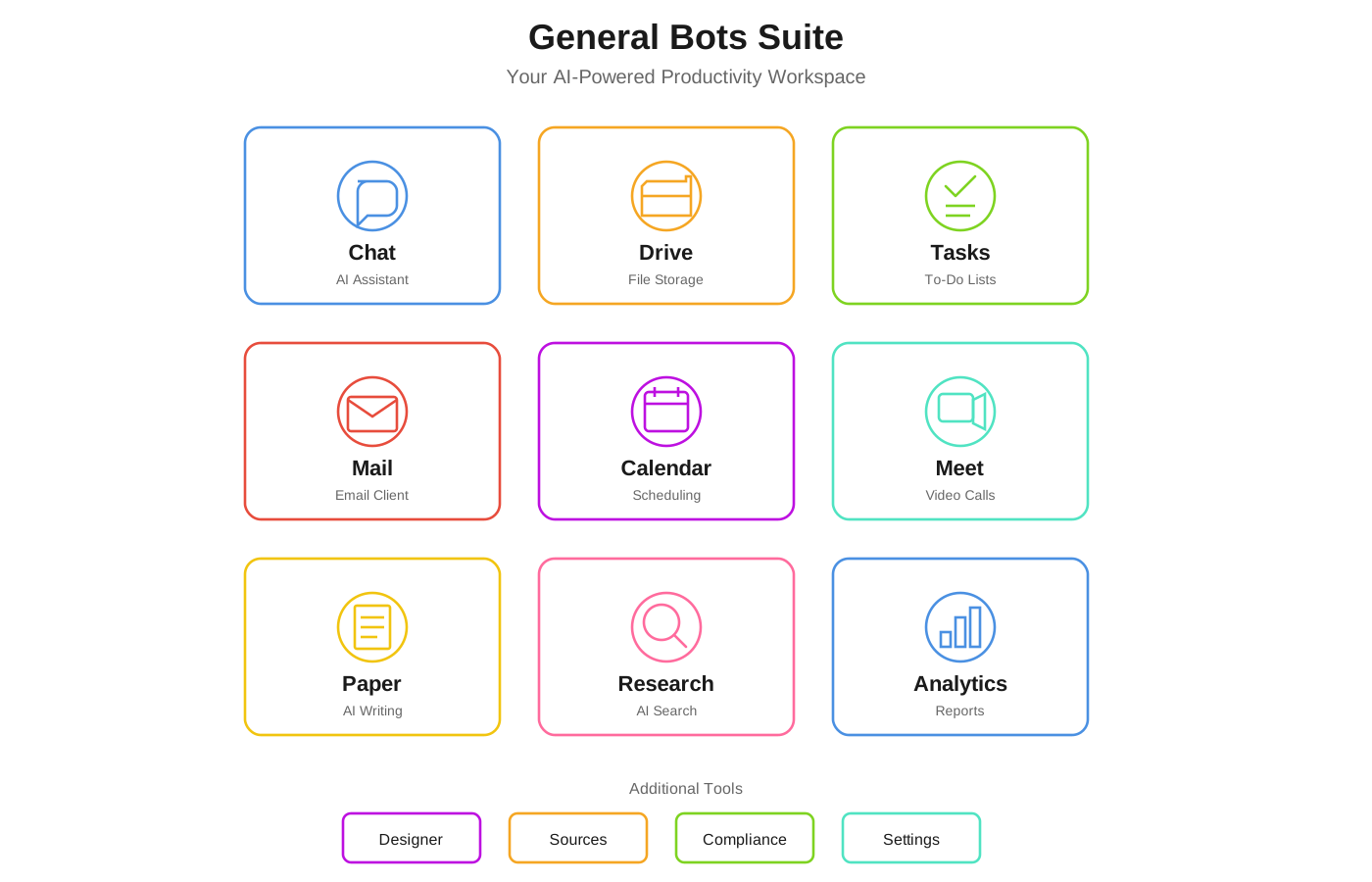 ### Accessing Apps
1. **Click the grid icon** (⋮⋮⋮) in the top-right corner
2. **Select an app** from the dropdown menu
3. App loads in the main content area
### Keyboard Shortcuts
| Shortcut | App |
|----------|-----|
| `Alt+1` | Chat |
| `Alt+2` | Drive |
| `Alt+3` | Tasks |
| `Alt+4` | Mail |
| `Alt+5` | Calendar |
| `Alt+6` | Meet |
---
## Architecture Overview
All Suite apps follow the same patterns:
### HTMX Loading
Apps are loaded lazily when selected:
```html
Chat
```
### Component Structure
Each app is a self-contained HTML fragment:
```
app-name/
├── app-name.html # Main component
├── app-name.css # Styles (optional)
└── app-name.js # JavaScript (optional)
```
### API Integration
Apps communicate with the backend via REST APIs:
```html
### Accessing Apps
1. **Click the grid icon** (⋮⋮⋮) in the top-right corner
2. **Select an app** from the dropdown menu
3. App loads in the main content area
### Keyboard Shortcuts
| Shortcut | App |
|----------|-----|
| `Alt+1` | Chat |
| `Alt+2` | Drive |
| `Alt+3` | Tasks |
| `Alt+4` | Mail |
| `Alt+5` | Calendar |
| `Alt+6` | Meet |
---
## Architecture Overview
All Suite apps follow the same patterns:
### HTMX Loading
Apps are loaded lazily when selected:
```html
Chat
```
### Component Structure
Each app is a self-contained HTML fragment:
```
app-name/
├── app-name.html # Main component
├── app-name.css # Styles (optional)
└── app-name.js # JavaScript (optional)
```
### API Integration
Apps communicate with the backend via REST APIs:
```html
Loading...
```
### Real-Time Updates
WebSocket support for live data:
```html
```
---
## Creating Custom Apps
To add a new app to the Suite:
1. **Create the component** in `ui/suite/your-app/`
2. **Add navigation entry** in `index.html`
3. **Define API endpoints** in your Rust backend
4. **Document the app** in this folder
### Template
```html
```
---
## See Also
- [Suite Manual](../suite-manual.md) - Complete user guide
- [HTMX Architecture](../htmx-architecture.md) - Technical details
- [UI Structure](../ui-structure.md) - File organization
- [Chapter 10: REST API](../../chapter-10-api/README.md) - API reference