
7.6 KiB
7.6 KiB
BotModels
A multimodal AI service for General Bots providing image, video, audio generation, and vision/captioning capabilities. Works as a companion service to botserver, similar to how llama.cpp provides LLM capabilities.
Features
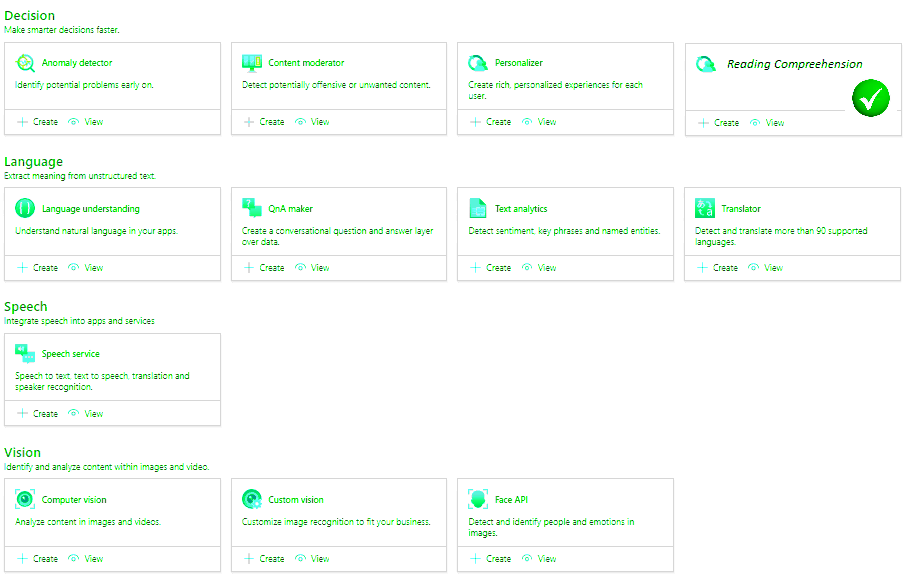
- Image Generation: Generate images from text prompts using Stable Diffusion
- Video Generation: Create short videos from text descriptions using Zeroscope
- Speech Synthesis: Text-to-speech using Coqui TTS
- Speech Recognition: Audio transcription using OpenAI Whisper
- Vision/Captioning: Image and video description using BLIP2
Quick Start
Installation
# Clone the repository
cd botmodels

# Create virtual environment
python -m venv venv
source venv/bin/activate  # Linux/Mac
# or
.\venv\Scripts\activate  # Windows

# Install dependencies
pip install -r requirements.txt
Configuration
Copy the example environment file and configure:
cp .env.example .env
Edit .env with your settings:
HOST=0.0.0.0
PORT=8085
API_KEY=your-secret-key
DEVICE=cuda
IMAGE_MODEL_PATH=./models/stable-diffusion-v1-5
VIDEO_MODEL_PATH=./models/zeroscope-v2
VISION_MODEL_PATH=./models/blip2
Running the Server
# Development mode
python -m uvicorn src.main:app --host 0.0.0.0 --port 8085 --reload

# Production mode
python -m uvicorn src.main:app --host 0.0.0.0 --port 8085 --workers 4

# With HTTPS (production)
python -m uvicorn src.main:app --host 0.0.0.0 --port 8085 --ssl-keyfile key.pem --ssl-certfile cert.pem
API Endpoints
All endpoints require the X-API-Key header for authentication.
Image Generation
POST /api/image/generate
Content-Type: application/json
X-API-Key: your-api-key

{
  "prompt": "a cute cat playing with yarn",
  "steps": 30,
  "width": 512,
  "height": 512,
  "guidance_scale": 7.5,
  "seed": 42
}
Video Generation
POST /api/video/generate
Content-Type: application/json
X-API-Key: your-api-key

{
  "prompt": "a rocket launching into space",
  "num_frames": 24,
  "fps": 8,
  "steps": 50
}
Speech Generation (TTS)
POST /api/speech/generate
Content-Type: application/json
X-API-Key: your-api-key

{
  "prompt": "Hello, welcome to our service!",
  "voice": "default",
  "language": "en"
}
Speech to Text
POST /api/speech/totext
Content-Type: multipart/form-data
X-API-Key: your-api-key

file: <audio_file>
Image Description
POST /api/vision/describe
Content-Type: multipart/form-data
X-API-Key: your-api-key

file: <image_file>
prompt: "What is in this image?" (optional)
Video Description
POST /api/vision/describe_video
Content-Type: multipart/form-data
X-API-Key: your-api-key

file: <video_file>
num_frames: 8 (optional)
Visual Question Answering
POST /api/vision/vqa
Content-Type: multipart/form-data
X-API-Key: your-api-key

file: <image_file>
question: "How many people are in this image?"
Health Check
GET /api/health
Integration with botserver
BotModels integrates with botserver through HTTPS, providing multimodal capabilities to BASIC scripts.
botserver Configuration (config.csv)
key,value
botmodels-enabled,true
botmodels-host,0.0.0.0
botmodels-port,8085
botmodels-api-key,your-secret-key
botmodels-https,false
image-generator-model,../../../../data/diffusion/sd_turbo_f16.gguf
image-generator-steps,4
image-generator-width,512
image-generator-height,512
video-generator-model,../../../../data/diffusion/zeroscope_v2_576w
video-generator-frames,24
video-generator-fps,8
BASIC Script Keywords
Once configured, these keywords are available in BASIC:
// Generate an image
file = IMAGE "a beautiful sunset over mountains"
SEND FILE TO user, file

// Generate a video
video = VIDEO "waves crashing on a beach"
SEND FILE TO user, video

// Generate speech
audio = AUDIO "Welcome to General Bots!"
SEND FILE TO user, audio

// Get image/video description
caption = SEE "/path/to/image.jpg"
TALK caption
Architecture
┌─────────────┐     HTTPS      ┌─────────────┐
│  botserver  │ ────────────▶  │  botmodels  │
│   (Rust)    │                │  (Python)   │
└─────────────┘                └─────────────┘
      │                              │
      │ BASIC Keywords               │ AI Models
      │ - IMAGE                      │ - Stable Diffusion
      │ - VIDEO                      │ - Zeroscope
      │ - AUDIO                      │ - TTS/Whisper
      │ - SEE                        │ - BLIP2
      ▼                              ▼
┌─────────────┐                ┌─────────────┐
│   config    │                │   outputs   │
│   .csv      │                │  (files)    │
└─────────────┘                └─────────────┘
Model Downloads
Models are downloaded automatically on first use, or you can pre-download them:
# Stable Diffusion
python -c "from diffusers import StableDiffusionPipeline; StableDiffusionPipeline.from_pretrained('runwayml/stable-diffusion-v1-5')"

# BLIP2 (Vision)
python -c "from transformers import Blip2Processor, Blip2ForConditionalGeneration; Blip2Processor.from_pretrained('Salesforce/blip2-opt-2.7b'); Blip2ForConditionalGeneration.from_pretrained('Salesforce/blip2-opt-2.7b')"

# Whisper (Speech-to-Text)
python -c "import whisper; whisper.load_model('base')"
API Documentation
Interactive API documentation is available at:
- Swagger UI:
http://localhost:8085/api/docs - ReDoc:
http://localhost:8085/api/redoc
Development
Project Structure
botmodels/
├── src/
│   ├── api/
│   │   ├── v1/
│   │   │   └── endpoints/
│   │   │       ├── image.py
│   │   │       ├── video.py
│   │   │       ├── speech.py
│   │   │       └── vision.py
│   │   └── dependencies.py
│   ├── core/
│   │   ├── config.py
│   │   └── logging.py
│   ├── schemas/
│   │   └── generation.py
│   ├── services/
│   │   ├── image_service.py
│   │   ├── video_service.py
│   │   ├── speech_service.py
│   │   └── vision_service.py
│   └── main.py
├── outputs/
├── models/
├── tests/
├── requirements.txt
└── README.md
Running Tests
pytest tests/
Security Notes
- Always use HTTPS in production
- Use strong, unique API keys
- Restrict network access to the service
- Consider running on a separate GPU server
- Monitor resource usage and set appropriate limits
Requirements
- Python 3.10+
- CUDA-capable GPU (recommended, 8GB+ VRAM)
- 16GB+ RAM
Resources
Education
References
Community
License
See LICENSE file for details.