 Rodrigo Rodriguez (Pragmatismo)
49eb6696ea
Rodrigo Rodriguez (Pragmatismo)
49eb6696ea
Chapter renames:
- chapter-09-api -> chapter-09-tools (LLM Tools)
- chapter-10-api -> chapter-10-rest (REST Endpoints)

New documentation:
- chapter-04-gbui/admin-user-views.md: Complete guide to User vs Admin interfaces
  - User Settings (/api/user/*): profile, security, notifications, storage
  - Admin Panel (/api/admin/*): users, groups, bots, DNS, audit
  - Permission levels: guest, user, manager, admin
  - Desktop sync considerations

Updated:
- Drive app docs with sync feature (rclone, desktop-only)
- All cross-references to renamed chapters
- SUMMARY.md with new structure and admin-user-views entry
4.5 KiB
4.5 KiB
Suite Applications
Individual app documentation for General Bots Suite
Each application in the Suite has its own dedicated documentation with:
- Flow diagrams (SVG with light/dark theme support)
- Interface layouts
- HTMX integration patterns
- API endpoints
- CSS classes
- JavaScript handlers
- Keyboard shortcuts
Core Applications
| App | Description | Documentation |
|---|---|---|
| 🖥️ Suite | Full desktop interface | suite.md |
| 💬 Chat | AI-powered conversation assistant | chat.md |
| 📁 Drive | Cloud file storage and management | drive.md |
| ✓ Tasks | To-do lists with priorities | tasks.md |
| Email client | mail.md | |
| 📅 Calendar | Scheduling and events | calendar.md |
| 🎥 Meet | Video conferencing | meet.md |
| 🎬 Player | Media viewer | player.md |
Productivity Applications
| App | Description | Documentation |
|---|---|---|
| 📝 Paper | AI-assisted document writing | paper.md |
| 🔍 Research | AI-powered search and discovery | research.md |
| 📊 Analytics | Reports and dashboards | analytics.md |
Developer Tools
| App | Description | Documentation |
|---|---|---|
| 🎨 Designer | Visual dialog builder (VB6-style) | designer.md |
| 📚 Sources | Prompts, templates, and models | sources.md |
| 🛡️ Compliance | Security scanner | compliance.md |
System Components
| Component | Description | Location |
|---|---|---|
| 🔐 Auth | Authentication views | ui/suite/auth/ |
| 👤 Attendant | Attendant interface | ui/suite/attendant/ |
| 🧩 Partials | Reusable HTML fragments | ui/suite/partials/ |
| 🔧 Tools | Developer utilities | ui/suite/tools/ |
| 📈 Monitoring | System monitoring dashboard | ui/suite/monitoring/ |
App Launcher
The Suite features a Google-style app launcher accessible from the header:
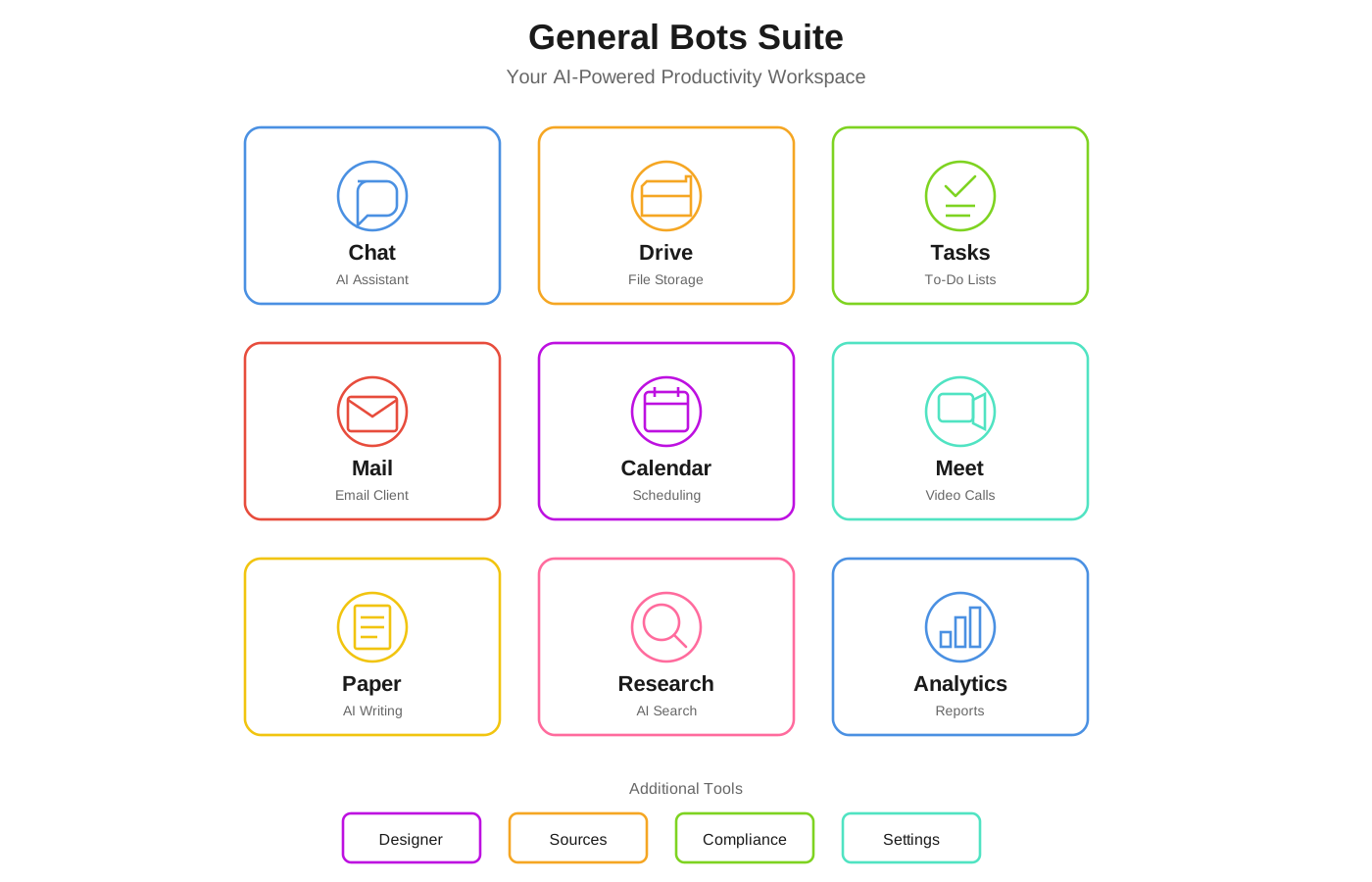
Accessing Apps
- Click the grid icon (⋮⋮⋮) in the top-right corner
- Select an app from the dropdown menu
- App loads in the main content area
Keyboard Shortcuts
| Shortcut | App |
|---|---|
Alt+1 |
Chat |
Alt+2 |
Drive |
Alt+3 |
Tasks |
Alt+4 |
|
Alt+5 |
Calendar |
Alt+6 |
Meet |
Architecture Overview
All Suite apps follow the same patterns:
HTMX Loading
Apps are loaded lazily when selected:
<a href="#chat"
   data-section="chat"
   hx-get="/ui/suite/chat/chat.html"
   hx-target="#main-content"
   hx-swap="innerHTML">
    Chat
</a>
Component Structure
Each app is a self-contained HTML fragment:
app-name/
├── app-name.html    # Main component
├── app-name.css     # Styles (optional)
└── app-name.js      # JavaScript (optional)
API Integration
Apps communicate with the backend via REST APIs:
<div hx-get="/api/v1/app/data"
     hx-trigger="load"
     hx-swap="innerHTML">
    Loading...
</div>
Real-Time Updates
WebSocket support for live data:
<div hx-ext="ws" ws-connect="/ws">
    <!-- Real-time content -->
</div>
Creating Custom Apps
To add a new app to the Suite:
- Create the component in
ui/suite/your-app/ - Add navigation entry in
index.html - Define API endpoints in your Rust backend
- Document the app in this folder
Template
<!-- ui/suite/your-app/your-app.html -->
<div class="your-app-container" id="your-app">
    <header class="your-app-header">
        <h2>Your App</h2>
    </header>

    <main class="your-app-content"
          hx-get="/api/v1/your-app/data"
          hx-trigger="load"
          hx-swap="innerHTML">
        <div class="htmx-indicator">Loading...</div>
    </main>
</div>

<style>
.your-app-container {
    display: flex;
    flex-direction: column;
    height: 100%;
}
</style>
See Also
- Suite Manual - Complete user guide
- HTMX Architecture - Technical details
- UI Structure - File organization
- Chapter 10: REST API - API reference